For small businesses, building a strong brand identity can be financially exhaustive.
Yet without a strong visual identity and consistent messaging, how do you compete with deep-pocketed rivals in crowded markets?
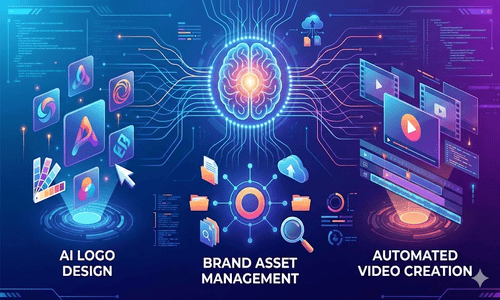
Artificial intelligence has made this much easier. Emerging AI tools for branding have made professional-quality brand assets and management accessible at a fraction of traditional costs.
This guide explores 8 powerful AI branding tools for small businesses. These include solutions for high-quality logo design, brand management, visual content creation, and copywriting.
Why Small Businesses Need AI Branding Tools
AI branding tools help small businesses design a strong brand identity and compete with larger brands while using much smaller budgets. Here are some of the more expanded advantages they offer.
Speed to Market:
Research carried out by the Federal Reserve Bank of St. Louis found that workers using generative AI save about 5.4% of their work hours each week. AI has also greatly reduced the time needed to develop a brand. Startups can now launch faster, while established businesses can rebrand more quickly.
Professional Quality:
The best AI tools for branding now provide agency-level quality. This level of service was once only available to large companies with big budgets. Small businesses are adopting AI more widely. According to a national survey by Thryv, AI adoption rates have increased from 39% in 2024 to 55% in 2025. This 41% rise shows that businesses recognize the importance of AI in staying competitive.
Scalability:
Small teams can now create multiple brand variations for A/B testing, seasonal campaigns, and platform-specific content. They can do this without increasing their budget or team size. The Reimagine Main Street survey revealed that 82% of small businesses think AI adoption is essential for staying competitive. AI branding tools enable startups to visually compete with larger, better-funded companies.
Now, let’s look at which AI tools streamline branding workflows.
Top 8 AI Branding Tools for Small Businesses
The best AI branding tools help small businesses with every part of building a brand. This includes logo design, brand management, visual content creation, writing marketing copy, and producing videos. Below are the top tools based on the needs of small businesses.
1. Logo Diffusion

Logo Diffusion is an AI-powered logo design tool that creates professional-quality vector logos. You can type a detailed description of the logo you want or upload a hand-drawn sketch. The system then turns your input into a scalable vector design that you can use for both print and digital materials.
Key Features
- Text-to-logo generation with full control over design elements
- Style Transfer feature that applies custom aesthetics to your designs
- Built-in sketching tools, including brushes, shapes, and fonts
- High-end image upscaler for enhancing resolution
- 2D to 3D logo conversion for modern branding
- 40+ design styles from minimalist to ornate aesthetics
Pros
- Professional-grade vector outputs suitable for print and digital
- Extensive customization options beyond basic templates
- One-time payment model available (no forced subscriptions)
- No subscription required for basic features
Cons
- Steeper learning curve than template-based tools
- Commercial license requires a paid plan
- Can be overwhelming for beginners without design experience
Best For:
Full creative control over logo design without template limitations.
Pricing:
- Free plan available (no commercial license)
- Basic: $24/month (billed annually)
- Pro: $49/month
- Elite: $99/month (billed annually)
2. Design.com

Design.com is an AI-driven branding tool that helps businesses create professional brand identity materials quickly. It offers a massive library of exclusive logo templates across many industries. Users enter their business name and a short description. The AI then generates logo options based on that information. You can customize the designs by adjusting colors, fonts, layouts, and icons.
Key Features
- AI-generated logos based on business name and description
- Access to over 350,000 exclusive logo templates
- More than 500 fonts for typography customization
- Matching business card and social media templates
- Website builder available in higher pricing plans
- High-resolution and vector file downloads for all use cases
- IP checks on templates to ensure originality
Pros
- Wide range of customization options
- One platform for logo design, website creation, and business cards
- Affordable monthly pricing options
- Strong value for businesses that need a complete branding package
Cons
- Template-based designs may not be fully unique
- Advanced features require a paid subscription
- Large number of design options may feel overwhelming
Best For:
Small businesses and startups wanting a complete branding package without hiring designers.
Pricing:
Pricing is based on available discounts at the time of writing.
- Starter: $5/month (annual billing) or $15/month
- Value: $6/month (annual) or $24/month
- Premium: $7/month (annual) or $29/month.
3. Canva

Canva is an online hub of AI branding design tools that help individuals and businesses create professional visuals without needing graphic design experience. It combines templates, drag-and-drop tools, and artificial intelligence features in one system. You can type a description of what you want to create, and Canva’s AI tools generate a design that you can edit. You can adjust colors, fonts, images, and layouts to match your brand.
Key Features
- Magic Design generates complete designs from text descriptions or images
- Magic Write provides AI copywriting directly into designs
- AI image generation powered by DALL-E for custom visuals
- 250,000+ templates across every design category imaginable
- Brand Kit for maintaining consistency with colors, fonts, and logos
- Video editing for short-form social content
Pros
- Complete visual content solution in one platform.
- Easy to use, even for beginners.
- Large template library covering many industries.
- Free plan includes 20 AI-generated designs per month.
Cons
- Premium features require Canva Pro subscription
- AI features have monthly generation limits
- Output quality varies based on the quality of prompts
Best For:
Small businesses that need to create social media posts, presentations, advertisements, and other marketing materials regularly.
Pricing:
- Free trial available.
- Canva Pro $14.99/month
- Business $20/month per user.
4. Renderforest

Renderforest is an online platform that offers a wide range of AI branding tools for startups. It allows you to create videos, logos, animations, and websites using templates and AI tools. You can select the type of content you want to create, choose a template, or use AI generation. Then you can customize it with your brand information and export the finished product.
Key Features
- AI logo maker and business name generator
- More than 1,200 templates for videos, animations, and designs
- AI-assisted website builder
- Video editor with customizable scenes and transitions
- Mockup creator to display logos on products such as shirts, packaging, or devices
- Access to a stock media library for background videos and images
Pros
- Combines video, design, and website tools in one platform
- Lower cost compared to buying separate specialized software
- Wide variety of templates
- Free plan available for testing
Cons
- Free exports include watermarks
- AI features use a credit system with limits
- Large video projects may take longer to process
Best For:
Small businesses on tight budgets requiring multiple content types
Pricing:
Pricing is based on available discounts.
- Free (with watermarks)
- Lite: $8/month
- Pro: $9.5/month
- Pro AI: $26.6/month
- Business: $41.3/month
5. Brandfolder

Brandfolder is a digital asset management platform built for businesses that need to organize and share large collections of brand materials. It stores all assets in one secure cloud system. You can upload logos, images, videos, documents, and marketing materials. The platform automatically adds tags and metadata using AI, which makes searching faster and accurate.
Key Features
- Centralized library for all brand assets
- Advanced search and filtering tools
- Custom brand portals for sharing assets with partners or clients
- Hosted brand guidelines linked directly to stored assets
- Integration with Adobe, Slack, Salesforce, and HubSpot
- Detailed permission controls to manage user access
Pros
- Strong organization tools for growing asset libraries
- Supports collaboration across remote teams
- Analytics show which assets are downloaded and used most often
- High-level security to protect brand materials
Cons
- Enterprise pricing structure expensive for small businesses
- May be unnecessary for small companies with few assets
- Requires training to use all advanced features effectively
Best For:
Growing brands with multiple teams that need organized access to brand asset libraries.
Pricing:
Custom pricing (contact sales)
6. Pebblely

Pebblely helps businesses create professional product photos using artificial intelligence. Instead of hiring a photographer or renting a studio, you can upload a clear photo of your product. Pebblely then places your product into a realistic background with matching shadows, reflections, and lighting.
Key Features
- Creates backgrounds from short written descriptions
- 40+ ready-made themes such as Studio, Cafe, Nature, and Minimalist
- Allows you to upload reference images to keep your branding consistent
- Generates images for up to 25 products at the same time
- Lets you add logos or badges directly to product photos
- API access for large-scale automation
Pros
- Much less expensive than traditional product photography
- No camera equipment or photography experience required
- Works well for improving product listings on online stores
- Free plan includes 40 images per month
Cons
- Background results may not always match your exact expectations
- Requires a high-quality, well-lit product photo to start
- Designed only for product photography, not for broader branding visuals
Best For:
Online stores and e-commerce businesses that need lifestyle-style product photos in large quantities.
Pricing:
- Free (40 images/month)
- Basic: $179/year (1,000 images)
- Pro: $379/year (unlimited images).
7. Jasper AI

Jasper AI is a professional AI writing platform designed to help businesses maintain a consistent brand voice. It analyzes your existing content to understand your company’s tone, writing style, and messaging. When you generate new content, Jasper automatically matches that style.
Key Features
- Brand Voice tool that learns from your current content
- Over 50 templates for blog posts, advertisements, social media, and email campaigns
- Built-in SEO tools with Surfer SEO integration
- Adjustable tone settings such as professional, friendly, casual, or persuasive
- Supports company style guides for consistent branding
- Chat-based interface for interactive writing
Pros
- Produces high-quality drafts that require little editing
- Strong collaboration tools for marketing teams
- Wide selection of content templates
- Includes built-in SEO support
Cons
- More expensive than many basic AI writing tools
- Works best when clear brand guidelines are available
- Advanced features require time to learn
Best For:
Growing businesses needing consistent voice across all channels, and marketing teams scaling content production.
Pricing:
- Free trial available
- Pro: $69/month (billed monthly), $59/month (billed annually)
- Business: (custom pricing for teams).
8. Synthesia

Synthesia allows brands to create professional videos without filming equipment or a studio. You can start by choosing an AI avatar or creating one based on your own photo. Then you can paste in your script, select the language and accent, and the platform generates a finished video. The system automatically handles lip movement, facial expressions, and body motion. Why use videos in branding? According to a Wyzowl survey, video marketing has helped increase brand awareness for up to 93% of marketers. And 63% of marketers use AI tools to create or edit videos.
Key Features
- Over 240 AI avatars with different appearances and styles
- Option to create a custom avatar using your own photo
- Supports over 160 languages and accents
- Voice cloning feature to use your own voice
- Brand kit tools for consistent colors and logos
- More than 200 video templates for different business needs
Pros
- No filming equipment or studio setup required
- Efficient for producing large numbers of videos
- Supports multiple languages for international audiences
- Useful for training videos, product demonstrations, and instructional content
Cons
- AI avatars may look slightly artificial in some situations
- Higher cost if you only need occasional videos
- Limited control over avatar gestures and movements
Best For:
Businesses that regularly produce training videos, marketing explainers, or product demonstrations.
Pricing:
- Basic: Free
- Starter $18/month (billed yearly)
- Creator $64/month (billed yearly)
- Enterprise (custom pricing).
Final Words
AI branding tools for small businesses help you create professional visuals at a low cost. Together, these emerging AI tools for branding cover most branding needs at affordable prices.
However, AI platforms do not provide strategic brand thinking. They often generate generic results. For this reason, it’s best to work with a professional designer. A skilled designer brings creative insight, industry experience, and understands customer psychology. AI systems cannot offer this level of depth.
At PNC Logos, we offer professional logo design and complete brand identity services. We help businesses define their message, connect with their audience, and stand out in competitive markets. Contact us today to turn your branding ideas into a memorable visual identity.