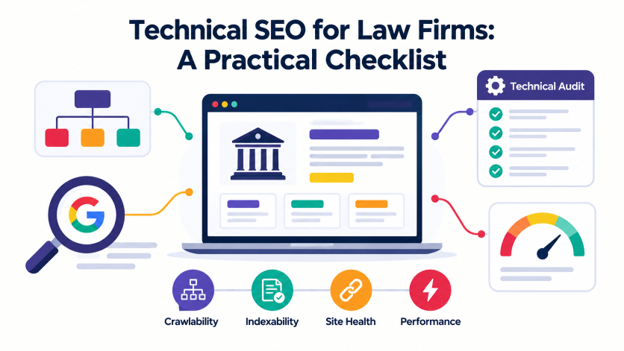
Technical SEO for law firms helps search engines find, load, and understand every practice area, attorney, and location page. Issues like blocked pages, slow mobile loading, and broken redirects can prevent potential clients from finding your services or contacting your firm.
This checklist covers essential indexing, speed, security, and schema checks, along with the tools you need and how to prioritize fixes. Since many technical issues require developer expertise, professional technical SEO services can help audit your site, resolve crawl errors, and monitor performance over time.
Technical SEO for Law Firms: 12-Step Checklist to Audit Your Website
For a law firm, technical SEO requires proper indexing, structure, speed, security, and markup, all working together. Here are 12 strategies to audit your website, starting with the data you need.

1. Set Up Your Audit With the Right Data
Before fixing technical issues for your attorney website SEO, gather data to identify what needs attention. Start by connecting Google Search Console, crawling your website, and reviewing key page types. This gives you a clear picture of your site’s search performance and technical health.
1.1. Core Audit Tools
You can use these tools to identify key technical SEO issues across your law firm’s website:
- Google Search Console: Check indexing, crawl activity, and Core Web Vitals.
- PageSpeed Insights: Assess page speed and user experience.
- Desktop crawler: Find broken links, duplicate content, and other technical issues.
- Google Rich Results Test: Check whether your structured data qualifies for rich results.
1.2. Page Types to Review
Review at least five page types, including practice area pages, attorney bios, location pages, blog posts, and intake pages. Also, check thank-you pages to confirm what visitors see after submitting a contact form. Because each page type serves a different purpose and may use a different template, you can fix one template’s technical issues to automatically resolve the same problems across multiple pages.
2. Check Your Site’s Indexing Status
Google can only rank pages it can access and index, so checking indexing status is an essential part of technical SEO for law firms. You can start by comparing the indexed URLs in Google Search Console’s Pages report with the URLs in your XML sitemap. Then, review pages marked “Crawled, currently not indexed” to understand why Google has not indexed them.
In most cases, missing pages point to thin content, weak internal links, or other indexing issues. A simple fix is to add relevant internal links to important pages and merge pages with overlapping or limited content when it makes sense.
3. Find Robots.txt Blocks and Noindex Tags
The next step is to check yourdomain.com/robots.txt to see which pages search engines can crawl. Then use Google Search Console’s URL Inspection tool to test important pages and identify any restrictions in indexing.
If you have recently migrated or relaunched your website, an SEO company for law firms can check for accidental rules such as Disallow: /, which blocks crawlers from accessing the entire site. They can also review your robots.txt and sitemap setup to ensure search engines can access the pages you want indexed.

4. Fix Canonical Tags and Duplicate URLs
Once you confirm that search engines can access your pages, check for duplicate URLs. These can occur when your site uses both www and non-www versions, trailing slashes, tag archives, or URL parameters. These variations can confuse Google about which page to prioritize.
Use a site crawler to find duplicate URLs. Then check their canonical tags and add self-referencing tags to your preferred pages. If you permanently consolidate duplicate URLs, use 301 redirects to send visitors and search engines to the correct versions. This helps Google identify the preferred page and consolidate ranking signals.
5. Fix Internal Linking Gaps
Lawyer technical SEO depends on how practice area, attorney, and location pages connect. Clear and relevant internal links help search engines find important pages and direct visitors to the legal services they need.
Crawl your website to find orphan pages and pages that take more than three clicks to reach. For example, visitors may find an attorney’s bio only through the main team page. Instead, you should link each attorney bio to the practice areas they handle, and link those practice area pages back to the relevant attorneys.
Check your navigation menus, too. Use standard HTML links that search engines can crawl instead of relying solely on JavaScript to load them.

6. Identify and Remove Duplicate Location Pages
To spot reused or similar content, you can use a site crawler or search in Google for a unique sentence in quotation marks alongside your website domain.
To prevent duplicate content from the start, give each location page distinct local details, such as nearby courthouses, office staff, and directions.
Also, use canonical tags when pages contain duplicate or substantially identical content, and you want search engines to recognize the preferred version.
7. Repair Redirects and Broken Links
Redirects automatically send visitors from one URL to another, while broken links lead to pages that cannot be found or accessed. Both can frustrate visitors and make it harder for search engines to crawl your website properly.
To identify, run a website crawl and filter the results by HTTP status codes. Then, check 3xx responses for redirects and 4xx responses for broken or unavailable pages.
To fix, update each outdated URL to point to the closest relevant page using a single 301 redirect. You can also create a helpful custom 404 page with links to your main practice areas, attorney directory, and contact page. This gives visitors useful next steps when they land on a page that no longer exists.
8. Test Your Site’s Speed
To test your site’s loading speed, responsiveness, and layout stability, you can check the Core Web Vitals report in Google Search Console. Google considers these Core Web Vitals scores good:
- Largest Contentful Paint (LCP):5 seconds or less.
- Interaction to Next Paint (INP): 200 milliseconds or less.
- Cumulative Layout Shift (CLS):1 or less.
To improve these scores, compress images, delay nonessential chat widgets, and reserve space for banners to prevent sudden shifts in layout.
9. Improve Website’s Mobile Experience
Google uses Googlebot Smartphone to crawl and index all websites, so important content must also appear on mobile pages to be indexed by Google. To check whether Google can access your headings, links, and structured data, you can use Google Search Console’s URL Inspection tool.
Also, ensure your website uses responsive web design to adapt to different screen sizes. Add tap-to-call phone numbers, keep forms short, and avoid intrusive popups that block content.
10. Secure Your Website With HTTPS
Starting with Chrome 154, scheduled for October 2026, Chrome will ask users for permission before accessing public websites that do not support HTTPS. Security is especially important for law firms because intake forms collect confidential client information.
Crawl your website to find HTTP URLs and mixed content, such as images or scripts loaded over HTTP on an HTTPS page. Fix these issues, verify that HTTP URLs redirect to their HTTPS versions, and enable automatic renewal of SSL/TLS certificates to prevent expiration.
11. Use the Right Legal Schema Markup
According to Web Data Commons, structured data appeared on 51.25% of crawled pages in 2024. Adding accurate schema markup helps search engines understand your firm’s information.
Use LegalService schema to describe your law firm and its legal services on relevant pages. Add Person schema to attorney biographies, including links to official bar association profiles when available. Use Organization schema to describe your law firm and include its logo through logo schema markup.
12. Check What AI Crawlers Can Actually See
Most people now use AI Overviews and chatbots to find legal answers, so your website content must be accessible to those tools. According to Vercel and MERJ, major AI crawlers don’t render JavaScript, including GPTBot and ClaudeBot. As a result, content loaded only through JavaScript may remain inaccessible to them.
To check your site, view the page source, disable JavaScript, or inspect the crawled HTML in Google Search Console. If important content disappears, consider server-side rendering or static HTML to make it accessible to AI crawlers and support your generative engine optimization strategy.
Final Words
Technical SEO for law firms comes down to indexing, internal linking, site speed, security, and crawlable content. Check these areas regularly to keep your website accessible to search engines. However, many technical fixes require a developer’s expertise to get right.
That’s where PNC Logos can help. Our technical SEO specialists conduct in-depth audits, fix crawling and indexing errors, improve Core Web Vitals, implement schema markup, and resolve redirect issues. We also monitor your website to catch new problems early and keep your site fast and visible in search results. Contact us today for a free technical SEO audit.